
Nginx és Nginx Plus webszerver konigurálása Linuxon.

Linuxon két webszerver program terjedt el, apache és az újabb a nginx.
NGINX
Configuring NGINX and NGINX Plus as a Web Server
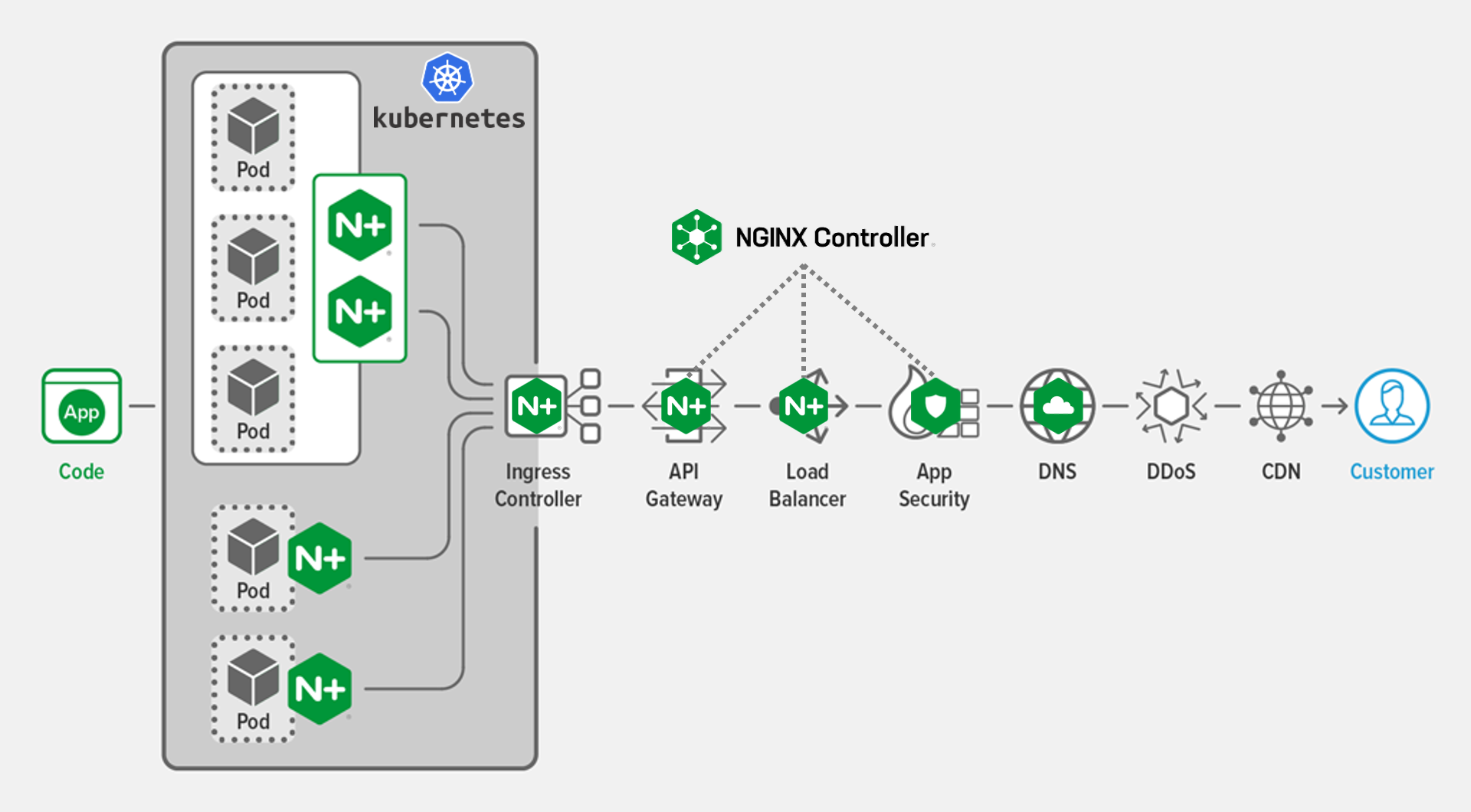 Én mindkettőt használom, most az nginx webszerver konigurálását mutatom be a linuxon.
Mindkettő használható a Windows operációs rendszer alatt is.
Új programok installálása elött ajánlott frissíteni a linux rendszert.
sudo apt update
sudo apt full-upgrade
Jön az nginx program intallálása.
sudo apt-get install nginx
Konigurációhoz használt file-ok.
/etc/nginx/nginx.conf
/etc/nginx/sites-avaliable/foodsdbcibus.eu
/etc/nginx/sites-enabled/@foodsdbcibus.eu  // link
/etc/nginx/snippets/self-signed.conf
/etc/ssl/certs/nginx.cert  // ssl
/etc/ssl/private/nginx.key // ssl
/etc/nginx/dhparam.pem //ssl
parancsok:
sudo systemctl stop nginx
sudo systemctl start nginx
sudo systemctl restart nginx
sudo nginx -t   // nginx.conf helyességét megnézi
sudo systemctl reload nginx
sudo systemctl disable nginx
sudo systemctl enable nginx
sudo  systemctl status nginx.service
Regisztráltam a VPS Linux szerveremhez egy host nevet: foodsdbcibus.eu
/etc/hostname tartalma:
foodsdbcibus.eu
/etc/resolv.conf:
nameserver 81.0.107.10
nameserver 1.1.1.1
Konfigurációs fájl tartalma: /etc/nginx/nginx.conf :
user www-data;
worker_processes auto;
pid /run/nginx.pid;
error_log /var/log/nginx/error.log;
include /etc/nginx/modules-enabled/*.conf;

events {
    worker_connections 768;
    # multi_accept on;
}

http {
    client_header_timeout  3m;
        client_body_timeout    3m;
        send_timeout           3m;

        client_header_buffer_size    1k;
        large_client_header_buffers  4 4k;

        gzip on;
        gzip_min_length  1100;
        gzip_buffers     4 8k;
        gzip_types       text/plain;

        output_buffers   1 32k;
        postpone_output  1460;

        sendfile         on;
        tcp_nopush       on;
        tcp_nodelay      on;

        keepalive_timeout  75 20;

    ssl_session_cache   shared:SSL:10m;
        ssl_session_timeout 10m;

    types_hash_max_size 2048;

    # server_tokens off;

    # server_names_hash_bucket_size 64;
    # server_name_in_redirect off;

    include /etc/nginx/mime.types;
    default_type application/octet-stream;

    ##
    # SSL Settings
    ##

    ssl_protocols TLSv1 TLSv1.1 TLSv1.2 TLSv1.3; # Dropping SSLv3, ref: POODLE
    ssl_prefer_server_ciphers on;

    ##
    # Logging Settings
    ##

    access_log /var/log/nginx/access.log;

    ##
    # Gzip Settings
    ##

    # gzip_vary on;
    # gzip_proxied any;
    # gzip_comp_level 6;
    # gzip_buffers 16 8k;
    # gzip_http_version 1.1;
    # gzip_types text/plain text/css application/json application/javascript text/xml application/xml application/xml+rss text/javascript;
    ##
    # Virtual Host Configs
    ##

    include /etc/nginx/conf.d/*.conf;
    include /etc/nginx/sites-enabled/*;
}


#mail {
#   # See sample authentication script at:
#   # http://wiki.nginx.org/ImapAuthenticateWithApachePhpScript
#
#   # auth_http localhost/auth.php;
#   # pop3_capabilities "TOP" "USER";
#   # imap_capabilities "IMAP4rev1" "UIDPLUS";
#
#   server {
#       listen     localhost:110;
#       protocol   pop3;
#       proxy      on;
#   }
#
#   server {
#       listen     localhost:143;
#       protocol   imap;
#       proxy      on;
#   }
#}
/etc/nginx/sites-available/foodsdbcibus.eu tartalma:
server {
#   listen 80 default_server;
    listen 443 ssl;
    listen [::]:443 ssl;
        server_name foodsdbcibus.eu www.foodsdbcibus.eu;
 #  server_name 192.168.1.10;
        client_max_body_size 64M;
    include /etc/nginx/snippets/self-signed.conf;
        keepalive_timeout   70;

    access_log   /var/log/nginx.access_log;

#       root /var/www/foodsdbcibus.eu;
    root /home/cibus/public_html/foodsdbcibus.eu;
        index index.php index.html index;

    location /barmi {
            proxy_set_header Host $host;
            proxy_pass http://127.0.0.1:3001;
            proxy_http_version 1.1;
            proxy_set_header Upgrade $http_upgrade;
            proxy_set_header Connection "upgrade";
        proxy_cache_bypass $http_upgrade;
            proxy_set_header X-Forwarded-For $remote_addr;
            proxy_set_header X-Real-IP $remote_addr;
            proxy_connect_timeout 60s;
            proxy_send_timeout 60s;
            proxy_read_timeout 60s;
            proxy_next_upstream error timeout;
        }

    location /testdbnode {
       #    proxy_set_header X-Forwarded-For $proxy_add_x_forwarded_for;
            proxy_set_header Host $host;
            proxy_pass http://127.0.0.1:3000;
            proxy_http_version 1.1;
            proxy_set_header Upgrade $http_upgrade;
            proxy_set_header Connection "upgrade";
        proxy_cache_bypass $http_upgrade;
            proxy_set_header X-Forwarded-For $remote_addr;
            proxy_set_header X-Real-IP $remote_addr;
            proxy_connect_timeout 60s;
            proxy_send_timeout 60s;
            proxy_read_timeout 60s;
            proxy_next_upstream error timeout;
        }

#       location / {
#           try_files $uri $uri/ =404;
#       }

    error_page  404  /404_1.html;

    location = /404_1.html {
                root  /spool/www;
        }

        location ~ \.php$ {
            include snippets/fastcgi-php.conf;
            fastcgi_pass unix:/var/run/php/php8.3-fpm.sock;
            fastcgi_param SCRIPT_FILENAME $document_root$fastcgi_script_name;
            include fastcgi_params;
        }
    location ~* ^/foodsdbcibus/images/(.+\.(jpg|jpeg|png|ico|webp))$ {
        root /home/cibus/images;
        expires      30d;
    }

        location ~* \.(jpg|jpeg|gif)$ {
                root         /spool/www;
                access_log   off;
                expires      30d;
        }

    location ~* ^/phpmyadmin/(.+\.(jpg|jpeg|gif|css|png|js|ico|html|xml|txt))$ {
        root /usr/share/;
    }
    location /phpinfo {
#       root /var/www/foodsdbcibus.eu/phpinfo;
#       root /home/cibus/public_html/foodsdbcibus/eu/phpinfo;
        alias /home/cibus/public_html/phpinfo;
        index index.php;
        try_files $uri $uri/ /index.php;
#       location ~ \.php$ {
#           include snippets/fastcgi-php.conf;
#           fastcgi_pass unix:/var/run/php/php8.3-fpm.sock;
#           include fastcgi_params;
#           fastcgi_param SCRIPT_FILENAME $request_filename;
#           fastcgi_param SCRIPT_NAME $fastcgi_script_name;
#       }
    }
    location /test1 {
        alias /home/cibus/public_html/test1;
    }
    location /viewdb {
        alias /home/cibus/public_html/viewdb;
    }
    location /devdjango1 {
        alias /home/ptiszai/Public/devdjango1;
    }
}

server {
   listen 80;
    #listen [::]:80;
    server_name foodsdbcibus.eu www.foodsdbcibus.eu;
    #location / {
   #     proxy_set_header X-Forwarded-For $proxy_add_x_forwarded_for;
   #     proxy_set_header Host $host;
   #     proxy_pass http://127.0.0.1:3000;
   #     proxy_http_version 1.1;
   #     proxy_set_header Upgrade $http_upgrade;
   #     proxy_set_header Connection "upgrade";
    #}
    return 301 https://$server_name$request_uri;
}
SSL titkosítás konfigurációja.
Mi az SSL /TLS Bizonyítvány?
Két lehetőség lehet a web oldal titkosítására, az első magad készíted el a tanúsítványt, de akkor minden browserbe fel kell tölteni a public kulcsot, vagy hivatalos oldalról töltse be azt, de azok pénzbe kerülnek, ilyenkor a browserekbe automatikusan letöltődnek, és az oldalt hitelesítik.
Manuálisan le kell tölteni, és installálni a web szerverre az openssl programot:
Az openssl csomag letöltése és installálása:
sudo apt-get install openssl
Ezzel nem foglalkozom továbbiakban, mert bonyolult, és a felhasználó nem fogja a browserébe installálni az elkészült tanúsítványt.
Én is megvettem a tanúsítványt.
Neve :
RapidSSL® Certificate
Itthon is megvehető forintért web hostingoknál.
A Rapid SSL tanúsítvány ára 1 évre nettó 9000 Ft volt. (Versanus)
Megvásárlása után emailben kaptam 4 db base64-es text részt, amiből az első kettőt használtam fel az nginx webszerver "/etc/nginx/snippets/self-signed.conf" fájlban.
PRIVATE KEY: neve lett nálam "rapid_key.key"
-----BEGIN RSA PRIVATE KEY-----
....... base64......
-----END RSA PRIVATE KEY-----
CRT: neve lett nálam "rapid_crt.crt""
-----BEGIN CERTIFICATE-----
....... base64......
-----END CERTIFICATE-----
A két fájlt bemásolom a helyükre.
"rapid_key.key" -> "/etc/ssl/private/rapid_key.key".
"rapid_crt.crt" -> "/etc/ssl/certs/rapid_crt.crt".
A "/etc/nginx/snippets/self-signed.conf" fájlba beraktam.
ssl_certificate /etc/ssl/certs/nginx.crt;
ssl_certificate_key /etc/ssl/private/nginx.key;
ssl_protocols TLSv1.2 TLSv1.3;
ssl_prefer_server_ciphers on;
ssl_ciphers ECDHE-RSA-AES256-GCM-SHA512:DHE-RSA-AES256-GCM-SHA512:ECDHE-RSA-AES256-GCM-SHA384:DHE-RSA-AES256-GCM-SHA384:ECDHE-RSA-AES256-SHA384:TLS_AES_256_GCM_SHA384;
ssl_session_timeout 10m;
ssl_session_cache shared:SSL:10m;
ssl_session_tickets off;
ssl_stapling on;
ssl_stapling_verify on;
resolver 8.8.8.8 8.8.4.4 valid=300s;
resolver_timeout 5s;
add_header X-Frame-Options DENY;
add_header X-Content-Type-Options nosniff;
add_header X-XSS-Protection "1; mode=block";
ssl_dhparam /etc/nginx/dhparam.pem;
ssl_ecdh_curve secp384r1;
Teszteljük a configurációs fájlt:
sudo nginx -t
Hibát nem jelez, utána restart web szerver:
sudo service nginx restart
PHP telepítése.
sudo apt install php8.3 php8.3-cli php8.3-fpm
php -v
PHP 8.3.6
sudo apt install php8.3-{mysql,curl,xsl,gd,common,xml,zip,xsl,soap,bcmath,mbstring,gettext,imagick}
PHP helye:
/etc/php/
/var/run/php/
sudo service nginx restart
Sikerült.
Elkészült:
Új honlapom ami SSL/TLS bizonylattal védett :
foodsdbcibus.eu
phpinfo