Angol nyelvő videóknak a problémái, nem mindegyiknél írja ki az elmondott angol szöveget, és nincs lefordítva magyar nyelvre.
Készítettem erre egy két nyelvű feliratozott videót.
A felirat megjelenik a videó alján két sorban fekete háttérben fehér karakterrel.
Első kőrben el kell dönteni milyen folyamatok kellenek hozzá, és milyen eszközökkel oldanád meg.
Eszközök, program környezet kialakítása:
1.) kell egy angol nyelvű videó, amit youtube videó szerveren keresel, ehhez youtube Premium fizetős verzió kell, ennek a költsége havi 2000-3000 Ft.:
youtube
2.) kell egy STT (Speech To Text) hangot szöveg fájlba konvertálja, ez AI model.
whisper OpenAI
Githup-on jobb oldalt a zöld alapon "<> Code" -> "Download ZIP", vagy
git clone https://github.com/ggml-org/whisper.cpp
cd whisper.cpp
cd models
sh download-ggml-model.sh base.en
sh download-ggml-model.sh small.en
sh download-ggml-model.sh medium.en
3.) kell egy angolról magyarra fordító applikáció.
Én Google Fordító-t használtam, jó tudsz angol nyelven, mert biztos kelleni fog egy kis nyelvi javítás a szövegben.:
Google Fordító
4.) FFmpeg windows változatú program letőltése innen:
FFmpeg letöltés
Nálam az utolós verzió: 2026-07-09.
FFmpeg fokumentáció
Könyvtár stuktúrám:
c:\Users\HP\work\ffmpeg\2026-07-09-full\*
c:\Users\HP\work\ffmpeg\TextEN-HULogoToVideo\video1\*
Folyamatokat script formában bemásolom, nem magyarázom el.
FFmpeg leírás forrását megadtam
1.) videó fájl összes stream képkockára felrakja a FFmpeg program logóját:
 TextLogo.bat:
..\\..\\2026-07-09-full\bin\ffmpeg -i ArduinoBasicsforBeginnersBreadboardLEDBuzzerServo.mp4 -i ffmpeg_logo64.png ^
-filter_complex ^
"[1]scale=32:16,format=yuva444p[in2];[0][in2]overlay=20:20" ArduinoBasicsforBeginnersBreadboardLEDBuzzerServoLogo.mkv
2.) videó stream fájl hangját egy fájlba konvertálja:
Txt_english.bat:
..\\..\\2026-07-09-full\\bin\\ffmpeg -i ArduinoBasicsforBeginnersBreadboardLEDBuzzerServo.mp4 -vn ^
-af ^
"whisper=model='..\\..\\SpeechAIToText\\whisper.cpp\\models\\ggml-medium.en.bin':language=en:queue=10:destination=ArduinoBasics-medium.txt:format=txt:use_gpu=true" -f null -
Eredmény ArduinoBasics-medium.txt fájlban lesz:
Imagine a sliding door opening as you approach,
or a homemade radar scanner sweeping a room that stops dead when it spots an object.
exactly do all these separate pieces, the motors, the lights, the sensors, know how
to talk to each other and operate perfectly on cue? The answer is yes.
is usually a tiny blue board called an Arduino.
This board is a microcontroller,
a specialized mini computer designed to handle specific
basic tasks.
You can think of it as the conductor of an electronic orchestra. A conductor standing
alone on a stage doesn't make any sound, but if you give...
If that conductor musicians, your physical components, and a piece of sheet music, your
computer code, they can orchestrate complex interactions.
Arduino is a bridge.
It takes the ideas in your head and translates them into physical,
interactive machines you can actually touch. Let's look at the physical board.
If you ignore the complex looking metal shapes in the middle, you'll notice rows of small holes running along the outer edges.
These highlighted rows are called "tiles".
pins. They are the only way our conductor can communicate with the outside world.
First, there are input pins. You can see here how the signal flows from an external
button into the board.
This is how the Arduino listens to the world, waiting to
see if a button is pressed or checking the current temperature.
Then we have output pins.
Notice how the arrow now flows away from the board to light up a bulb.
This is how the Arduino commands the world, sending out electricity to turn on a light or spin a motor.
To use these pins, the Arduino speaks two different languages.
The first is digital. A digital signal is either entirely on or entirely off. It works.
It works like the standard light switch on your wall.
The second language is analog.
Instead of just on or off, analog deals with a continuous range of values.
-functions like a sliding dimmer switch, where you can set a light to 10%, 50%, or anywhere in between.
These pins are the foundation.
how they handle signals, you have the interface to send data and receive a
physical response. To write our sheet music, we use a free program called the Arduino
IDE. The language we type into it is a simplified version of C++. A single program for the Arduino
is called a sketch. To make a sketch work, you need to use the code "skech" to make a sketch work.
you only need to understand two main sections, the setup and the loop. Here is
the setup block.
Any instructions you put in here will run exactly one time.when the board turns on.
This is where you organize the stage, like telling the Arduino that pin #13 will be an output.
Once the setup is done, the program moves to the loop.
As you can see by this circular path, this is the actual performance.
Any instructions placed inside the loop will repeat over and over again until the power is complete.
To make a light blink, we place an instruction inside the loop telling the board to send electricity to pin 13 to turn the light on.
Next,we`ll use the power supply to turn the light on. we tell the board to wait for one second,then tell it to turn the light off and wait one more second.
After that last step,the loop simply starts right back at the top. and the light comes on again.
Coding in Arduino is simply about giving your conductor a list of clear chronological instructions to follow forever.
With the code we have written, you click the upload button on your computer.
The instructions travel down a USB cable and are stored directly in the Arduino's brain.
The second that upload finishes--
the board springs to life, and the tiny built-in light on the board starts to flash on and off, keeping the exact rhythm of your code.
To build larger projects, you connect the Arduino to external components using jumper wires and a breadboard.
This grid makes it easy to plug in larger lights, motors, and buzzers to your pins.
That reaction speed game from earlier works the same way.
It reads an input from a player's button, waits for the code to process the timing, and then triggers an output to ring the code. a buzzer.
Building custom electronics doesn't require an engineering degree.
All it takes is a basic starter kit, a digital conductor, and the curiosity to tell it what to do.
next.
3.) eredmény ArduinoBasics-medium.txt fájl tartalmát lefordítom magyarra
a Google Fordítóval, és javítok a szövegen
4.) ahhoz, hogy a videó stream fájl egyes képeire kiírja az angol és magyar képi szöveget, ahogy az angol hang mondja, ezt időzíteni kell!
Az FFmpeg sendcmd=f=sendcmd.txt parnacs fájt használja, nem írom le,
az FFmpeg dokumentációban megtalálod.
sendcmd.txt:
0.0-7.0 [enter] drawtext reinit 'x=(w-text_w)/2:y=h-150:text=Imagine 1 a sliding door opening as you approach, or a homemade radar scanner sweeping a room that stops dead when it spots an object.
Képzelj el egy tolóajtót, amely közeledtével kinyílik, vagy egy házilag készített radarszkennert, amely átfésüli a szobát, majd hirtelen megáll,
amikor egy tárgyat észlel.';
8.0-16.0 [enter] drawtext reinit 'text=exactly do all these separate pieces, the motors, the lights, the sensors, know how
pontosan megcsinálod ezeket a különálló alkatrészeket, a motorokat, a lámpákat, az érzékelők tudják, hogyan';
16.5-20.5 [enter] drawtext reinit 'text=to talk to each other and operate perfectly on cue? The answer is yes.
hogy beszéljenek egymással és tökéletesen cselekedjenek, csak úgy, ahogy kellene? A válasz igen.';
21.5-24.0 [enter] drawtext reinit 'text=is usually a tiny blue board called an Arduino.
általában egy apró kék kártya, amit Arduinonak hívnak.';
24.5-32.0 [enter] drawtext reinit 'text=This board is a microcontroller, a specialized mini computer designed to handle specific basic tasks
Ez a kártya egy mikrokontroller, egy speciális mini számítógép, amelyet bizonyos alapvető feladatok elvégzésére terveztek.';
33.5-35.0 [enter] drawtext reinit 'text=You can think of it as the conductor of an electronic orchestra.
Úgy is elképzelheted, mint egy elektronikus zenekar karmesterét.';
35.5-40.0 [enter] drawtext reinit 'text=A conductor standing alone on a stage doesn`t make any sound, but if you give...
Egy karmester, aki egyedül áll a színpadon, nem ad ki hangot, de ha odafigyelsz rá...';
39.5-50.0 [enter] drawtext reinit 'text=If that conductor musicians, your physical components, and a piece of sheet music, your computer code, they can orchestrate complex interactions.
Ha ez a karmester zenészeket, a fizikai alkatrészeid és egy kotta, a számítógépes kódod, akkor összetett interakciókat tudnak létrehozni.';
50.0-52.0 [enter] drawtext reinit 'text=Arduino is a bridge.
Az Arduino egy "híd".';
52.5-58.0 [enter] drawtext reinit 'text=It takes the ideas in your head and translates them into physical, interactive machines you can actually touch.
A fejedben lévő ötleteket fizikai, interaktív gépekké alakítja, amelyeket ténylegesen meg lehet érinteni.';
58.5-60.0 [enter] drawtext reinit 'text=Let`s look at the physical board.
Nézzük meg a fizikai kártyát.';
60.5-65.0 [enter] drawtext reinit 'text=If you ignore the complex looking metal shapes in the middle, you`ll notice rows of small holes running along the outer edges.
Ha figyelmen kívül hagyjuk a középen látható összetett fémformákat, akkor apró lyukak sorait fogjuk észrevenni a külső szélek mentén.';
65.5-69.0 [enter] drawtext reinit 'text=These highlighted rows are called "tiles".
Ezeket a kiemelt sorokat "csempéknek" nevezzük.';
69.5-74.0 [enter] drawtext reinit 'text=They are the only way our conductor can communicate with the outside world.
Csak ők tudnak kommunikálni a karmesterünkkel a külvilággal.';
74.5-81.0 [enter] drawtext reinit 'text=First, there are input pins. You can see here how the signal flows from an external button into the board.
Először is, vannak bemeneti lábak. Itt látható, hogyan áramlik a jel egy külső gombból a panelbe/kártyába.';
81.5-87.0 [enter] drawtext reinit 'text=This is how the Arduino listens to the world, waiting to see if a button is pressed or checking the current temperature.
Így figyeli az Arduino a világot, várva, hogy megnyomnak-e egy gombot, vagy ellenőrzi az aktuális hőmérsékletet.';
87.5-93.0 [enter] drawtext reinit 'text=Then we have output pins.Notice how the arrow now flows away from the board to light up a bulb.
Aztán vannak kimeneti lábaink. Figyeld meg, hogyan folyik el a nyíl a paneltől, hogy felgyulladjon egy LED izzó.';
93.5-100.0 [enter] drawtext reinit 'text=This is how the Arduino commands the world, sending out electricity to turn on a light or spin a motor.
y irányítja az Arduino a világot, elektromosságot küldve egy LED lámpa felkapcsolásához vagy egy motor megforgatásához.';
100.5-103.0 [enter] drawtext reinit 'text=To use these pins, the Arduino speaks two different languages.
Ezen lábak használatához az Arduino két különböző nyelven beszél.';
103.5-105.0 [enter] drawtext reinit 'text=The first is digital. A digital signal is either entirely on or entirely off. It works.
Az első a digitális. A digitális jel vagy teljesen be van kapcsolva, vagy teljesen ki van kapcsolva. Működik.';
105.5-111.0 [enter] drawtext reinit 'text=It works like the standard LED light switch on your wall.
Úgy működik, mint egy hagyományos fali villanykapcsoló.';
111.5-113.0 [enter] drawtext reinit 'text=The second language is analog.
A második nyelv analóg.';
113.5-119.0 [enter] drawtext reinit 'text=Instead of just on or off, analog deals with a continuous range of values
A csak be- vagy kikapcsolás helyett az analóg folytonos értéktartományokkal működik.';
119.5-126.0 [enter] drawtext reinit 'text=functions like a sliding dimmer switch, where you can set a light to 10\\%, 50\\%, or anywhere in between.
úgy működik, mint egy tolókapcsoló, amellyel a lámpát 10\\%, 50\\% vagy a kettő közötti értékre állíthatja be.';
126.5-129.0 [enter] drawtext reinit 'text=These pins are the foundation.
Ezek a lábak alkotják az alapot.';
129.5-135.0 [enter] drawtext reinit 'text=how they handle signals, you have the interface to send data and receive a physical response.
hogyan kezelik a jeleket, rendelkezésedre áll az interfész az adatok küldéséhez és a fizikai válasz fogadásához.';
135.5-140.0 [enter] drawtext reinit 'text=To write our sheet music, we use a free program called the Arduino
A kottákat egy ingyenesen letölthető Arduino nevű programmal írjuk.';
140.5-148.0 [enter] drawtext reinit 'text=IDE. The language we type into it is a simplified version of C++. A single program for the Arduino is called a sketch.
IDE. A programozási nyelv, amit belegépelünk, a C++ egy egyszerűsített változata. Egyetlen Arduino-programot vázlatnak nevezünk.';
148.5-151.0 [enter] drawtext reinit 'text=To make a program work, you need to use the code "skech" to make a sketch work.
Ahhoz, hogy egy program működjön, a "skech" kódot kell használnod a vázlat működéséhez.';
151.5-156.0 [enter] drawtext reinit 'text=you only need to understand two main sections, the setup and the loop. Here is the setup block.
Csak két fő részt kell megértened, a beállítást és a ciklust. Itt található a beállítási blokk.';
156.5-161.0 [enter] drawtext reinit 'text=Any instructions you put in here will run exactly one time.when the board turns on.
Az ide beírt utasítások pontosan egyszer fognak lefutni, amikor a kártya bekapcsol.';
161.5-167.0 [enter] drawtext reinit 'text=This is where you organize the stage, like telling the Arduino  that pin #13 will be an output.
Itt szervezed meg a "színpadot", például mondd meg az Arduinónak, hogy a 13-as láb kimenet lesz.';
167.5-170.0 [enter] drawtext reinit 'text=Once the setup is done, the program moves to the loop.
Miután a beállítás megtörtént, a program a ciklusba lép.';
170.5-174.0 [enter] drawtext reinit 'text=As you can see by this circular path, this is the actual performance.
Amint ezt a körkörös utat is láthatjuk, ez a tényleges teljesítmény.';
174.5-180.0 [enter] drawtext reinit 'text=Any instructions placed inside the loop will repeat over and over again until the power is complete.
A hurok belsejében elhelyezett utasítások újra és újra megismétlődnek, amíg az áramellátás be nem fejeződik.';
180.5-189.0 [enter] drawtext reinit 'text=To make a light blink, we place an instruction inside the loop telling the board to send electricity to pin 13 to turn the light on.
Ahhoz, hogy egy LED villogjon, egy utasítást helyezünk el a hurokban, amely arra utasítja a kártyát, hogy küldjön áramot a 13-as lábra a lámpa bekapcsolásához.';
189.5-195.0 [enter] drawtext reinit 'text=Next,we`ll use the power supply to turn the light on. we tell the board to wait for one second,then tell it to turn the light off and wait one more second.
Ezután a tápegységet használjuk a lámpa felkapcsolásához. Megmondjuk a kártyának, hogy várjon egy másodpercet, majd azt, hogy kapcsolja ki a lámpát, és várjon még egy másodpercet.';
195.5-202.0 [enter] drawtext reinit 'text=After that last step,the loop simply starts right back at the top. and the light comes on again.
Az utolsó lépés után a hurok egyszerűen újraindul felülről. és a lámpa újra kigyullad.';
202.5-208.0 [enter] drawtext reinit 'text=Coding in Arduino is simply about giving your conductor a list of clear chronological instructions to follow forever.
Az Arduinóban való kódolás lényege, hogy a karmesternek világos, kronológiai utasításokat adunk, amelyeket örökre követnie kell.';
208.5-212.0 [enter] drawtext reinit 'text=With the code we have written, you click the upload button on your computer.
Az általunk írt programkóddal rákattint a számítógépén található feltöltés gombra.';
212.5-217.0 [enter] drawtext reinit 'text=The instructions travel down a USB cable and are stored directly in the Arduino`s brain.
Az utasítások egy USB-kábelen haladnak keresztül, és közvetlenül az Arduino flash memóriájában tárolódnak.';
217.5-219.0 [enter] drawtext reinit 'text=The second that upload finishes--
Abban a pillanatban, amikor a feltöltés véget ér...';
219.5-227.0 [enter] drawtext reinit 'text=the board springs to life, and the tiny built-in light on the board starts to flash on and off, keeping the exact rhythm of your code.
A kártya életre kel, és a beépített apró lámpa villogni kezd, pontosan a programkódod ritmusát követve.';
227.5-235.0 [enter] drawtext reinit 'text=To build larger projects, you connect the Arduino to external components using jumper wires and a breadboard.
Nagyobb projektek építéséhez az Arduinót külső alkatrészekhez kell csatlakoztatni jumper vezetékek és egy próba kártya segítségével.';
235.5-240.0 [enter] drawtext reinit 'text=This grid makes it easy to plug in larger lights, motors, and buzzers to your pins.
Ez a rács megkönnyíti nagyobb lámpák, motorok és hangjelzők csatlakoztatását a csatlakozókhoz.';
240.5-243.0 [enter] drawtext reinit 'text=That reaction speed game from earlier works the same way.
A korábbi reakciósebesség-játék ugyanígy működik.';
243.5-250.0 [enter] drawtext reinit 'text=It reads an input from a player`s button, waits for the code to process the timing, and then triggers an output to ring the code. a buzzer.
Beolvassa a játékos gombjáról érkező bemenetet, megvárja, amíg a kód feldolgozza az időzítést, majd aktivál egy kimenetet, amely megcsengeti a kódot. Ez egy berregő.';
250.5-254.0 [enter] drawtext reinit 'text=Building custom electronics doesn`t require an engineering degree.
Egyedi elektronikai eszközök építéséhez nem szükséges mérnöki diploma.';
254.5-260.0 [enter] drawtext reinit 'text=All it takes is a basic starter kit, a digital conductor, and the curiosity to tell it what to do.
Csupán egy alapvető kezdőkészletre, egy digitális vezetőre és a kíváncsiságra van szükség, hogy megmondjuk, mit kell tennie.';
260.5-265.0 [enter] drawtext reinit 'text=next ...
következő ...';
270.0 [enter] drawtext reinit 'text=';
5.) videó stream egyes képeire ráhelyezi a sendcmd.txt fájl tartamát
két sorban, felső sor az angol az alatta lévő magyar szöveg lesz.
TextSendcmd.bat:
..\\..\\2026-07-09-full\\bin\ffmpeg -y -i ArduinoBasicsforBeginnersBreadboardLEDBuzzerServoLogo.mkv ^
-vf sendcmd=f=sendcmd.txt,drawtext=fontfile=LiberationMono-Regular.ttf:fontsize=20:fontcolor=white@1.0:box=1:boxcolor=black@1.0:boxborderw=4:line_spacing=-5:text='':enable='between(t,0,600)' ^
ArduinoBasicsforBeginnersBreadboardLEDBuzzerServoLogoText2.mkv
Eredményt a ArduinoBasicsforBeginnersBreadboardLEDBuzzerServoLogoText2.mkv videó fájt elindítom a VCL médialejátszóval:
videolan
Vége.

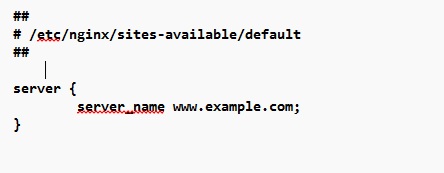
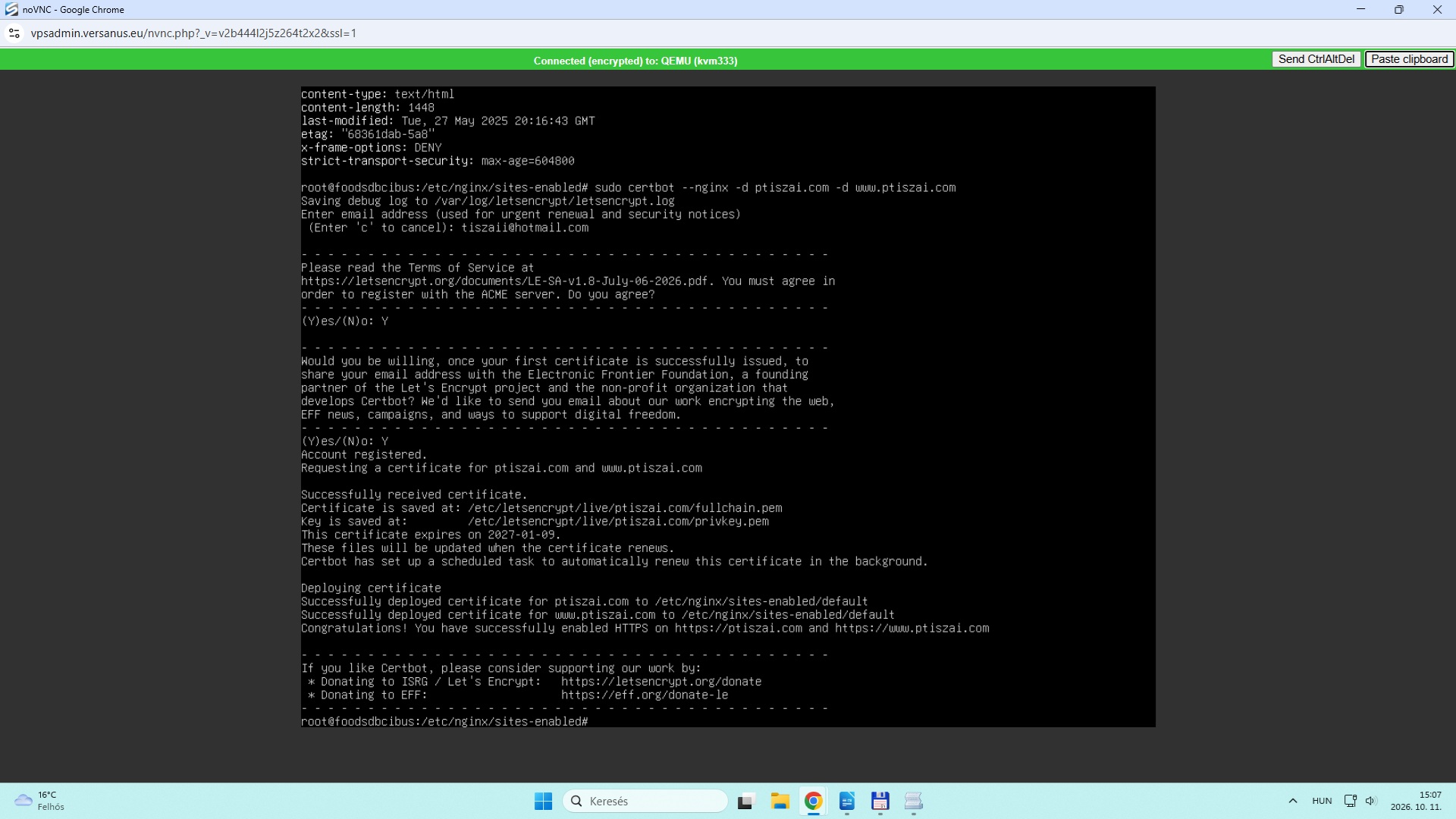 A default fájl ptiszai.com alatt, www.example.hu átirtam futtatás elött:
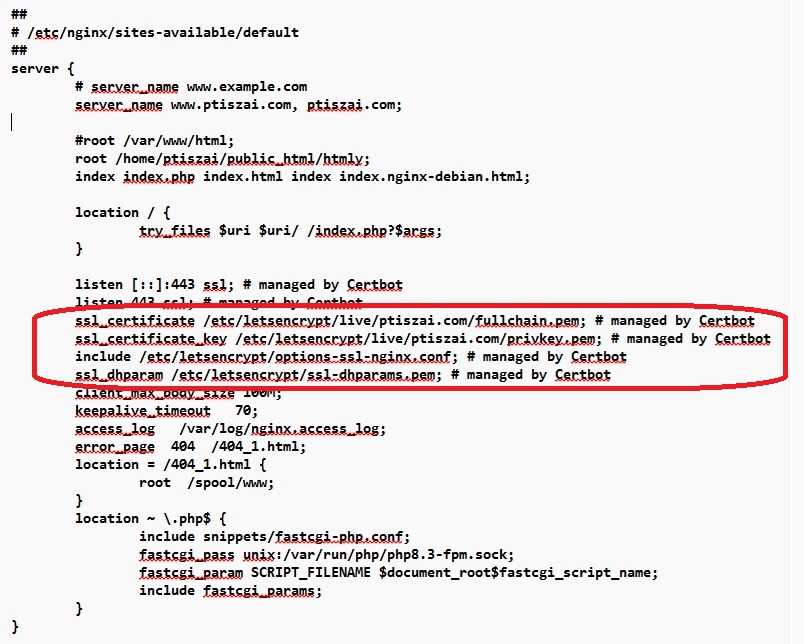 nginx webszerver újabb test és indítása: